

Find Your Next Show in Discover Events
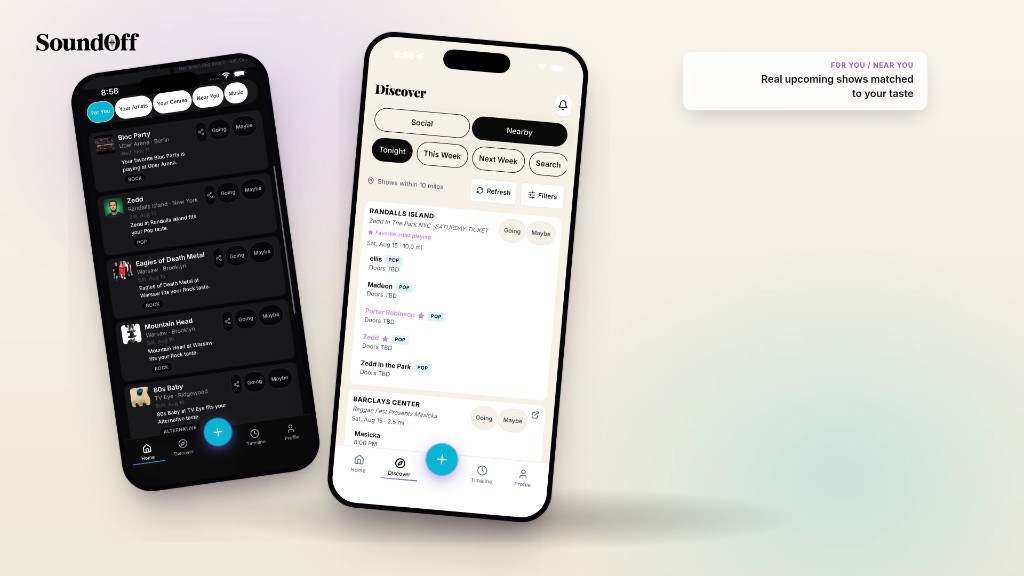
Most concert discovery is a dump. Every venue in a fifty-mile radius, every genre, every night of the week, sorted by “trending” or “popular,” which mostly means loud. You scroll past forty shows you’d never go to before you find the one you might.
SoundOff’s Discover tab works differently because it starts from a different place: your own show history. Not your Spotify shuffle, not a generic city calendar. What you’ve actually logged, ranked, and shown up for.
Open Discover and the Events tab is where that shows up as something usable. Upcoming shows near you, filtered by the artists and genres you keep coming back to, plus alerts when an artist you’ve already seen books a new date. Tap into any event to see the lineup, the venue, and who else on SoundOff is planning to be there. RSVP, and it drops onto your calendar and your friends’ radar at the same time.
Here’s the part that makes it different from a ticketing app’s “upcoming shows” list: every RSVP is one tap from becoming a log. You said you’re going, the show happens, and SoundOff already has the artist, date, and venue queued up so closing the loop takes seconds, not a search. Discovery and the diary aren’t two separate tools bolted together. One feeds the other.
Share an event to your social channels (Instagram, TikTok, Snap, etc.) straight from the Events tab if you want your crew to see you’re going before you’ve even bought the ticket.
Next time you’re wondering what’s actually worth a Tuesday night out, skip the generic nearby list. Open Discover, tap Events, and see what’s actually built for you.