

Hear the Set Without Leaving the Feed
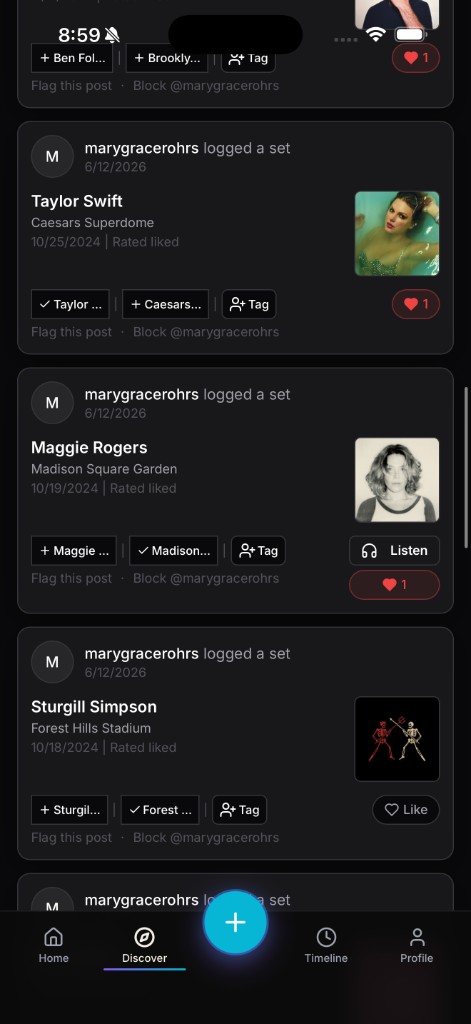
A photo and a setlist tell you a show happened. They don’t tell you what it sounded like. That gap is what Listen from Activity is closing, one recording at a time.
When SoundOff has a matched recording for a logged set, be it a soundboard rip, a DJ mix, a live stream archive, a Listen button shows up right on that entry in your feed. Tap it, and you’re hearing the actual set without leaving Activity, no separate app, no searching SoundCloud or Mixcloud by hand hoping someone uploaded the right night.
Where does the audio come from? SoundOff pulls from connected sources like SoundCloud, Mixcloud, and YouTube, matching a logged set to a real recording of that artist, that date, that venue whenever a match exists.
That last part matters, and we’d rather tell you straight than oversell it: not every set has a recording. A small local show at a bar without a soundboard feed almost certainly won’t. A festival set from an artist who regularly uploads live sets almost certainly will. Coverage is real but uneven, and it’s growing as the matching pipeline gets fed more sources, not a promise that’s already fully delivered.
When the Listen button is there, it turns a memory into something you can actually revisit. When it isn’t, your notes and photos still hold the night down. Browse your Activity feed and tap Listen wherever you see it. The list of sets with audio only gets longer from here.